
지난 포스트에 이어서 VM 인스턴스에 mysql 서버를 생성하고 docker 이미지와 연결할 수 있도록 하자.
참고
https://aaroni.tistory.com/entry/GCP-VM%EC%97%90%EC%84%9C-Mysql-%EC%84%A4%EC%B9%98%ED%95%98%EA%B8%B0
https://wildeveloperetrain.tistory.com/198
1. Mysql 서버 설치
생성한 vm 인스턴스에 들어가서
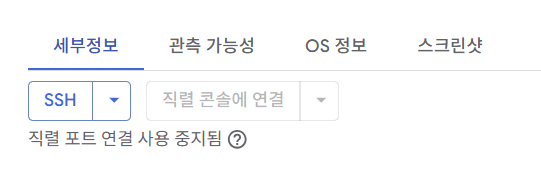
ssh로 접속한다.
sudo apt-get update
sudo apt-get install mysql-server
업데이트 후 mysql-server를 설치해준다.
sudo systemctl start mysql
sudo systemctl enable mysql
다음 명령어로 mysql 서버를 실행시켜준다. enable은 시스템이 부팅될 자동으로 서비스가 시작되도록 하는 것이다.
sudo mysql -u root -p
위 명령어로 mysql에 접속할 수 있다. 빠져나가는 것은 exit.
2. 외부 접속 허용
sudo nano /etc/mysql/mysql.conf.d/mysqld.cnf
다음 명령어로 cnf에 들어가 bind-address를 수정해줄 것이다.

이 줄이 보이면 주소를 0.0.0.0으로 수정한 후 ctrl + x로 빠져나오면 된다.
sudo service mysql restart
mysql 서버를 재시작해준다.
3. Mysql User 생성하기
CREATE USER '[user]'@'%' IDENTIFIED BY '[password]';
GRANT ALL PRIVILEGES ON [db 이름].* TO '[user]'@'%';
FLUSH PRIVILEGES;
외부 접속을 가능하게 하기 위해 %로 지정해준다.
특정 db에 대한 권한을 부여하고 적용해준 후 exit 하면 된다.
(모든 db에 대한 권한을 허용하고싶다면 db 이름 대신 * 를 써주면 된다)
4. application.properties 수정
spring.jpa.properties.hibernate.dialect=org.hibernate.dialect.MySQL8Dialect
spring.datasource.driver-class-name=com.mysql.cj.jdbc.Driver
spring.datasource.url=jdbc:mysql://[외부 IP]:[포트]/[DB 이름]?useSSL=false&serverTimezone=UTC
spring.datasource.username=[user]
spring.datasource.password=[password]
다음과 같이 db 접속을 위한 설정을 해준다.
이어서 다음 포스트에서는 vm 에 docker를 설치해보자.

감사합니다 (^人^)
'DevOps > Cloud Platform' 카테고리의 다른 글
| [AWS] EC2 인스턴스 구축하기 (0) | 2026.04.12 |
|---|---|
| [GCP VM] VM 인스턴스로 배포하기 (4) - Docker Image 배포하기 (0) | 2025.08.06 |
| [GCP VM] VM 인스턴스로 배포하기 (3) - docker 설치하기 (0) | 2025.08.06 |
| [GCP VM] VM 인스턴스로 배포하기 (1) - 인스턴스 생성 (0) | 2025.08.06 |